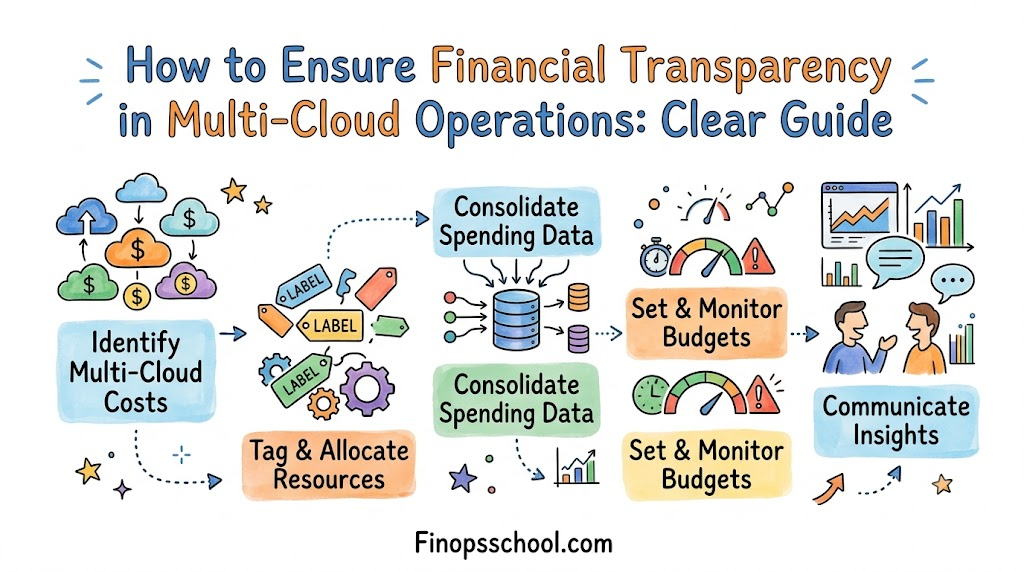
Big companies use the cloud to store data and run software online. But when they use many cloud providers at once, tracking money gets very hard.
Bills come in different formats, and costs rise fast without anyone noticing. You need a simple way to see every dollar your team spends.
You can learn these skills at Finopsschool to stop surprise bills. Their training helps your engineers and money managers talk to each other.
When your teams talk, everyone takes care of the budget. You stop wasting cash on computer power that nobody uses.
What Is Multi-Cloud Financial Transparency?
Using multi-cloud means renting computers from more than one company at the same time. Think of it like renting three different apartments in three different towns.
Each landlord sends a different bill with different words and fees. If you do not pay attention, you pay for empty rooms.
Financial transparency means you can see every single cost clearly. You know who bought each service and why they bought it.
Why Clear Bills Matter
When bills are clear, bosses do not have to guess their monthly spending. They can plan future projects with total peace of mind.
Engineers also build better software when they see the price of each tool. Saving money becomes a team game where everybody wins.
Key Operational Concepts You Must Know
To manage your cloud budget, you must master a few core ideas. These ideas keep your spending neat, organized, and easy to follow.
Name Tags for Every Resource
First, you must put a digital label on every single cloud tool. Experts call these labels tags.
A tag is like a name tag on a school backpack. It shows which team owns the tool and which project uses it.
If a computer server has no tag, nobody knows who pays for it. Good tags help you sort bills in seconds.
Turning Off Idle Machines
Next, you must look for computers that run without doing any real work. People call these idle resources.
Workers often turn on test servers and forget to turn them off before going home. These forgotten servers run all night and burn your money.
So, you should turn them off when work ends. Doing this simple task cuts your bills right away.
Buying Ahead for Big Discounts
Cloud sellers offer huge sales if you promise to stay for a few years. These deals are called savings plans or reserved instances.
They work just like buying snacks in bulk at a wholesale club. You pay a lower price because you promise to buy a lot.
So, smart teams check their daily needs and buy their basic power early. This step saves big bags of money every month.
| Simple Concept | What You Do | How It Helps |
|---|---|---|
| Resource Tags | Put digital name labels on every tool | You see who spends each dollar |
| Turn Off Idle Tools | Stop servers that nobody uses | You stop paying for empty power |
| Bulk Plans | Promise to buy basic power early | You get huge price discounts |
Platform Implementation vs. Culture — What’s the Real Difference?
Many bosses buy shiny software to fix their high bills. They think a new dashboard will solve all their money problems instantly.
+---------------------------------+       +---------------------------------+
|        Software Tools           |  -->  |         Company Culture         |
|   (Charts, Alerts & Numbers)    |       |   (Habits, Caring & Teamwork)   |
+---------------------------------+       +---------------------------------+
Software Tools Show the Numbers
Tools collect numbers and make pretty charts that show where money goes. But software tools cannot click the delete button for you.
A human must look at the red alert and shut down the wasteful machine. Tools show you the dirt, but you still must sweep the floor.
Company Culture Changes Habits
Culture means changing the way people think and act every day. In a healthy company, engineers care about costs while they build apps.
They do not wait for the finance team to yell at them about bills. Instead, they pick the cheapest tool that gets the job done well.
When your culture changes, your spending drops and stays low. Team habits protect your wallet better than any single tool.
Real-World Use Cases of Modern Operations
Seeing how other groups fix their spending makes these steps easy to copy. Here are two real examples from modern companies.
A Big Shopping App Cuts Waste
A shopping app had huge sales every Friday night. Their engineers ran extra servers all week just to stay safe for the weekend.
+-----------------------------------+
| Watch Live Shopper Numbers        |
+-----------------------------------+
                 |
                 v
+-----------------------------------+
| Grow and Shrink Servers Smoothly  |
+-----------------------------------+
                 |
                 v
+-----------------------------------+
| Save Cash All Week Long           |
+-----------------------------------+
This choice wasted tons of money from Monday through Thursday. So, they set up auto-rules that add servers only when shoppers show up.
When shoppers go to bed, the servers shrink back down. This smart move saved the shop over thirty percent on their monthly bill.
A Bank Tracks Micro-Costs
A digital bank moved all its account tools into tiny software parts called containers. But they could not tell which banking feature cost the most money.
So, they added tiny tracking tags inside each software container. Now, they know the exact cloud cost of every swipe and deposit.
Because they saw the exact costs, they fixed slow code quickly. Their app ran faster, and their cloud bills stopped growing.
Common Mistakes in Operations Engineering
Even smart teams make big mistakes when they move into the cloud. Knowing these traps helps you avoid them early.
Leaving Zombie Disks Running
The most common trap is leaving behind old virtual hard drives. When an engineer deletes a server, the storage disk often stays behind.
People call these forgotten disks zombie resources. They sit in the dark, do zero work, and charge you rent every day.
- Check your accounts weekly to find disks without servers.
- Set auto-delete rules for temporary testing files.
- Clean up old backups so you do not store junk forever.
Trusting Automatic Tips Blindly
Cloud consoles give automated tips to help you save cash. But computers do not understand your business calendar or future plans.
+--------------------------------------+
| Cloud Tool Gives a Tip               |
+--------------------------------------+
                   |
                   v
+--------------------------------------+
| Human Engineer Checks the Plan       |
+--------------------------------------+
                   |
                   v
+--------------------------------------+
| Save Cash Without Breaking Things    |
+--------------------------------------+
A tool might tell you to shrink a quiet server before a giant sale. If you follow that blindly, your app will crash when customers arrive.
Always let an engineer check the tips before clicking accept. Humans know what is coming next, but robots only see the past.
How to Become an Operations Expert — Career Roadmap
You can build a great career by helping companies manage their cloud bills. Companies pay top dollar to workers who can save them money.
Learn Cloud Tech Basics
First, learn how the major cloud networks work and sell their power. You should know the difference between basic servers, file storage, and web networks.
- Take beginner tests from popular cloud companies to earn badges.
- Learn how each service charges by the minute or gigabyte.
- Practice building charts that make raw spending data easy to read.
Learn to Speak Business
Next, learn how business leaders talk about corporate money. You must learn basic words like profit, loss, and monthly budgets.
- Practice talking simply without using confusing computer words.
- Show bosses how saving money lets them hire more great workers.
- Write quick weekly notes that show cash saved by your changes.
FAQ Section
- What is the first step to take when multi-cloud bills get too high?
Start by putting name tags on every single resource you rent. You cannot fix your spending until you know who uses each tool.
- Can small startups use these money tracking rules too?
Yes, small teams should start using these habits on day one. It is much easier to track ten servers than ten thousand servers later.
- Do I need to buy expensive software to see my bills clearly?
No, you can start with the free billing tools from your providers. Free tools work great until your company grows very large.
- Why do engineers and money teams argue about cloud bills?
Engineers want apps to run fast, but money teams want low costs. Good tracking tools show both sides the facts so they can agree.
- How fast can a company see real savings?
You can see savings in your very first week of work. Simply finding and deleting idle servers drops your next bill right away.
Final Summary
Managing cloud costs across multiple platforms does not have to feel scary. When you label tools, stop idle machines, and work as a team, bills stay low.
Clarity gives your leaders the confidence to build new things without fear. Start small, look at your numbers every week, and keep your systems tidy.