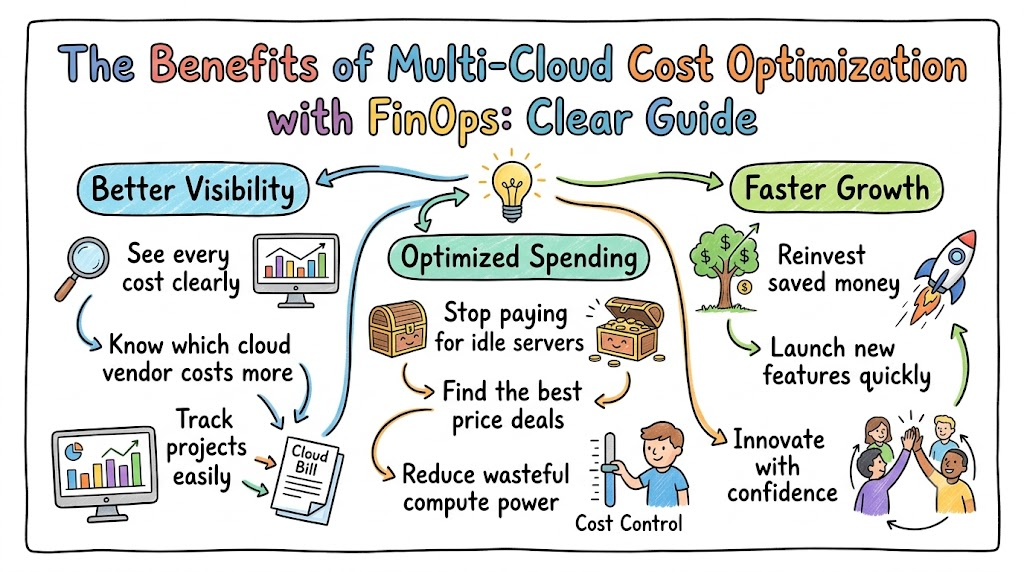
Many businesses rent computers and storage from more than one cloud seller. But tracking money across different platforms gets very hard.
Bills arrive in different formats, and costs rise quickly without warning. You need a simple way to track every dollar your teams spend.
You can master these skills through Finopsschool to stop surprise bills. Their training helps your engineers and finance leaders work as one team.
When teams work together, everyone protects company money. You stop paying for idle computer servers that nobody uses.
What Is Multi-Cloud FinOps?
Multi-cloud FinOps is a team practice that combines technology and finance. It helps companies manage and track their spending across several cloud providers.
Think of it like renting two different storage units in two different towns. Each owner charges different rates and sends different bills.
FinOps brings all those numbers into one place. It gives your team full visibility into every cost.
Why Clear Spending Helps You Grow
When costs stay visible, managers do not have to guess their budgets. They can launch new software projects with real confidence.
Engineers also build better tools when they know the true price of servers. Saving money becomes a team goal where everyone wins.
Key Operational Concepts You Must Know
Managing cloud money across different clouds requires a few core ideas. These habits keep spending clean, simple, and under control.
Digital Tags for Every Tool
First, you must put digital name labels on every cloud machine. Experts call these labels tags.
A tag works just like a luggage tag at an airport. It shows who owns the tool and which team pays for it.
If a cloud server lacks a tag, nobody claims the bill. Clean tags help you track every dollar in seconds.
Turning Off Idle Power
Next, you must find servers that run without doing actual work. People call these machines idle resources.
Engineers often start test servers and forget to stop them. These forgotten machines stay active overnight and burn your cash.
So, you should turn them off when workers log out. This simple move cuts down your bills right away.
Buying Power in Advance
Cloud sellers give huge price drops if you commit to long plans. People call these plans reserved instances or savings plans.
They work just like buying food in bulk at a store. You get a cheaper unit price because you buy in large amounts.
So, smart teams plan their baseline needs and buy early. This habit saves big amounts of cash each month.
| Simple Concept | What You Do | How It Helps |
|---|---|---|
| Resource Tags | Add digital name tags to all tools | You see who spends each dollar |
| Stop Idle Tools | Turn off servers when not in use | You stop paying for empty power |
| Bulk Plans | Buy basic power on long deals | You get massive price discounts |
Platform Implementation vs. Culture — What’s the Real Difference?
Many leaders buy costly monitoring tools to fix high cloud bills. They think a single software dashboard solves all their budget troubles.
+---------------------------------+       +---------------------------------+
|        Software Tools           |  -->  |         Company Culture         |
|   (Charts, Alerts & Numbers)    |       |   (Habits, Caring & Teamwork)   |
+---------------------------------+       +---------------------------------+
Software Dashboards Show the Data
Software tools pull spending logs and draw bright visual graphs. But software cannot shut down wasteful machines on its own.
A human must read the alert and make the final choice. Software points to the problem, but workers must do the work.
Company Culture Builds Lasting Habits
Culture means shifting how teams think and act each day. In a strong culture, engineers care about costs during their work.
They do not wait for finance to send angry emails. Instead, they pick the best and most affordable cloud tool.
When your culture changes, your spending stays low over time. Good habits protect your budget better than software alone.
Real-World Use Cases of Modern Operations
Seeing how other teams solve cloud waste helps you copy their success. Here are two real examples from modern companies.
An Online Store Scales On Demand
A large shopping website had giant traffic rushes on weekends. Their team kept hundreds of extra servers running every weekday to be safe.
+-----------------------------------+
| Track Customer Traffic Live       |
+-----------------------------------+
                 |
                 v
+-----------------------------------+
| Grow and Shrink Servers Easily    |
+-----------------------------------+
                 |
                 v
+-----------------------------------+
| Cut Weekly Waste Fast             |
+-----------------------------------+
This habit wasted heavy cash from Monday morning through Thursday night. So, they set up auto-rules that add servers only during real traffic spikes.
When shoppers left, the servers shrank back down. This choice cut their cloud bill by over thirty percent.
A Health App Tracks Small Costs
A health app ran thousands of tiny services across two cloud vendors. But managers could not tell which health feature cost the most money.
So, engineers added tracking tags to every small code container. Now, they see the exact cost of each patient record search.
Because they saw the data, they fixed heavy background jobs. Their app ran faster, and overall cloud costs dropped quickly.
Common Mistakes in Operations Engineering
Even skilled teams run into traps when using multiple clouds. Learning about these traps helps you avoid costly errors.
Leaving Zombie Hard Drives Behind
The most frequent error is leaving old virtual disks running. When engineers delete a server, the storage disk often stays active.
People call these forgotten disks zombie resources. They sit unseen, store old data, and bill you every single day.
- Audit your disks every week to catch unattached drives.
- Set auto-delete rules on temporary test workspaces.
- Delete old file snapshots that nobody needs anymore.
Trusting Automatic Cloud Tips Blindly
Cloud consoles share automated advice to help you reduce expenses. But algorithms do not know your product launch plans.
+--------------------------------------+
| Cloud Tool Suggests a Change         |
+--------------------------------------+
                   |
                   v
+--------------------------------------+
| Engineer Evaluates the Context       |
+--------------------------------------+
                   |
                   v
+--------------------------------------+
| Apply Safe and Proven Savings        |
+--------------------------------------+
A tool might advise shrinking a quiet database right before a product launch. Following that tip blindly can cause your application to crash.
Always let an engineer review tips before making big changes. Humans understand business needs far better than automated tools.
How to Become an Operations Expert — Career Roadmap
You can grow a rewarding career by helping companies lower cloud bills. Businesses need workers who can save money while keeping systems fast.
Learn the Technical Basics
First, learn how the main cloud vendors run and charge for compute. You must understand virtual servers, object storage, and networking costs.
- Earn foundational cloud certificates to prove your skills.
- Learn billing models for databases and serverless code.
- Build basic visual reports that make raw numbers simple to read.
Master Business and Finance Words
Next, learn how finance teams talk about business money. You should learn terms like profit, gross margins, and monthly budgets.
- Explain technical problems simply without hard jargon.
- Show executives how saved money funds new product hiring.
- Share short weekly updates that highlight direct cost savings.
FAQ Section
- What is the first step to optimize multi-cloud costs?
Start by setting up uniform tags across every cloud provider you use. You cannot manage spending until you know which team owns each tool.
- Can small businesses use FinOps practices effectively?
Yes, small teams can use these simple habits right from the start. It is much easier to manage ten servers early than thousands later.
- Do you need expensive software to manage cloud costs?
No, you can start with the free billing tools from your providers. As your multi-cloud setup expands, you can switch to dedicated platforms.
- Why do tech and finance teams often disagree on costs?
Engineers prioritize system speed, while finance managers prioritize budget limits. Shared metrics help both sides agree on the right balance.
- How soon can a company see real cost savings?
You can see savings in your first week of review. Deleting idle storage and unused machines lowers your bill right away.
Final Summary
Optimizing multi-cloud costs does not need to feel complicated or stressful. When you label tools, delete idle servers, and work as a team, bills shrink fast.
Visibility gives your business the freedom to build and scale without fear. Start simple, check your metrics weekly, and keep your cloud lean.