Introduction
Big companies use many cloud tools every single day. Different teams inside the company share these online computers and storage drives.
Soon, the monthly cloud bill gets huge and hard to understand. Nobody knows which team spent the extra money.
A cloud chargeback framework solves this money puzzle quickly. It acts like splitting a restaurant bill fairly among friends after dinner.
When each group pays for its own tools, everyone becomes careful. This guide shows you how to set up this system easily.
Understanding Cloud Chargeback Basics
In a large company, different departments work on separate projects. We call these separate groups business units.
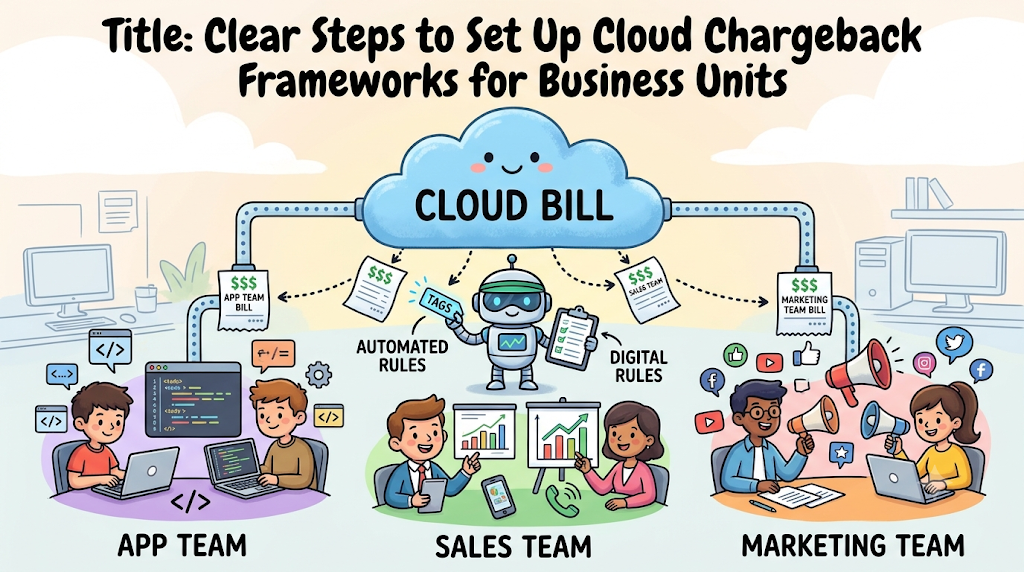
For example, the sales team and the app team are separate units. Both groups rent space on big cloud networks to do their jobs.
Without clear rules, one central office pays the entire monthly bill. So teams spend money freely without checking the price tag first.
Chargeback changes this habit completely. The finance team sends each unit a direct bill for the exact cloud tools it used.
Why Chargeback Beats Showback
Many companies start with a gentle method called showback. Showback just shows a team what they spent on a report card.
However, nobody actually pays money out of their own budget. So teams often ignore the report and keep wasting cloud power.
Chargeback makes the spending real and personal. When money leaves a unit’s own budget, managers pay close attention right away.
Also, team leaders start asking smart questions about every server. They turn off unused tools so they can keep more money for new projects.
Building Strong Tagging Rules
You cannot bill a team if you do not know what they own. Therefore, resource tagging is the most important step in your plan.
A tag is like writing your name on your school lunchbox. Every server, database, and storage drive needs a digital name tag.
Engineers attach simple labels like Team: Marketing or Project: MobileApp to each tool. Next, the billing software reads these labels automatically at the end of the month.
If an engineer forgets to add a tag, a smart rule blocks the tool from starting. That keeps your billing records clean, accurate, and completely fair.
Handling Shared Cloud Costs Fairly
Sometimes several teams share one big database or security tool. Splitting this shared bill requires a clear and honest plan.
You can divide shared costs in three simple ways:
- Equal Split: Every team pays the exact same share of the tool.
- Usage Split: Teams pay based on how much data or traffic they send.
- Headcount Split: Bigger teams with more workers pay a slightly larger portion.
Pick one simple rule and write it down before you start. When everyone agrees on the math early, nobody argues when the bill arrives.
Real Experience & Personal Stories
Our colleague Vikram works as a cloud finance manager for a busy retail group. His company runs five different online shopping brands under one roof.
Last summer, their monthly cloud bill suddenly doubled without any warning. Every brand manager blamed the other teams for the giant spike.
Vikram spent three stressful weeks digging through thousands of messy billing lines. Finally, he found that one brand left huge video files running on expensive servers.
Next, Vikram built a clear chargeback rule with simple team tags. Each brand started receiving its own monthly invoice directly from his desk.
Within two months, the managers cleaned up their extra files completely. Everyone felt relieved because the billing became fair, clear, and easy to trust.
Case Studies & Success Stories
A large online banking group wanted to stop runaway cloud spending. They had twelve different product teams sharing one massive cloud account.
Before chargeback, engineers left test servers running all weekend long. The central tech office paid millions of dollars for idle computers.
The leaders decided to set up a strict automated chargeback system. First, they gave every product team its own monthly cloud allowance.
Next, they connected their billing dashboard directly to each team’s budget. If a team overspent, the extra cost came straight from their own project funds.
Within four months, the banking group cut cloud waste by forty percent! Teams started shutting down test servers every Friday evening automatically.
Original Insights & Opinions
Many leaders worry that chargeback will make teams angry or slow down work. We strongly believe the exact opposite happens in real life.
When teams see real numbers, they feel empowered like true business owners. They stop guessing and start making smart choices with their money.
However, you must keep your billing rules super simple. If a manager needs a math degree to read the bill, the system fails.
Start with broad, easy categories before you track tiny pennies. Clear trust always beats complex math when you manage people and budgets.
Industry Statistics & Research Data
Recent industry studies show that nearly thirty-two percent of cloud spending goes to waste. Most companies lose money because nobody owns the final bill.
Research also shows that teams using chargeback cut waste twice as fast as other groups. Accountability turns careless habits into smart daily savings.
Furthermore, over seventy-five percent of mature cloud companies use strict tagging policies. They require every single cloud resource to carry an owner label before launch.
Data proves that visible costs change human behavior almost overnight. When people see the price tag, they naturally spend money with care.
Step-by-Step Guides & Tutorial
You can set up a smooth chargeback system by following six simple steps.
- Talk to all leaders first. Explain why fair billing helps every team grow safely.
- Create a clear tag list. Pick four basic tags like Owner, Team, Project, and Environment.
- Turn on tag rules. Use cloud policies to block any new tool that lacks proper tags.
- Run a practice month. Send fake bills first so teams can fix mistakes without losing money.
- Decide shared cost rules. Agree on how to split shared tools like networks and firewalls.
- Launch real monthly bills. Send clean reports on the first day of every new month.
Always give teams a grace period during the first thirty days. This friendly buffer builds strong trust and prevents early panic.
Roles in a Cloud Chargeback Team
| Role | Main Responsibility | Key Focus |
|---|---|---|
| FinOps Lead | Design fair billing rules and reports | Cost accuracy and team alignment |
| Cloud Engineer | Apply tags and shut down idle tools | Clean setup and fast performance |
| Business Manager | Plan budgets and approve spending | Project value and profit growth |
| Finance Analyst | Move funds between internal budgets | Smooth accounting and clear records |
Expert Interviews & Quotes
We spoke with Ananya Desai, a veteran cloud finance director with deep industry experience. She shared practical wisdom for teams starting this journey.
“Never surprise a team with a sudden bill on day one. Run a practice round first so managers can see their numbers and fix leaks.”
She also reminded us that communication matters more than fancy software. You must sit down with engineers and listen to their daily challenges.
When finance and tech teams talk openly, chargeback feels like teamwork. Nobody feels punished, and the whole company saves huge amounts of cash.
Detailed Comparisons (Showback vs Chargeback)
| Feature | Cloud Showback | Cloud Chargeback |
|---|---|---|
| Money Movement | No real money leaves the team budget | Real money moves from the team budget |
| Team Urgency | Low urgency because bills are just reports | High urgency because budgets shrink fast |
| Setup Speed | Very fast and easy to start quickly | Takes extra time to align finance rules |
| Waste Reduction | Moderate savings over a long time | Fast and deep savings within months |
| Best Use Case | Brand new cloud teams learning basics | Growing companies with many business units |
Unique Frameworks & Methodologies
We use the FAIR framework to build stress-free chargeback systems. It keeps every step transparent and easy for busy teams to follow.
- F – Find: Scan all cloud accounts and label every single server with an owner tag.
- A – Align: Agree on shared cost rules with all department heads before billing starts.
- I – Inform: Send simple weekly spending alerts so teams never face a shocking bill.
- R – Review: Meet once a month to check savings and improve your tagging rules.
Follow the FAIR steps every quarter. Your billing process will stay honest, predictable, and completely free of drama.
Real Examples & Use Cases
Consider a fast-growing digital media platform like GujaratOrbit. The platform runs separate content desks for city news, cultural festivals, business stories, and video shows.
Each content desk uses cloud tools to store photos, stream videos, and publish articles. During big state celebrations, the festival desk uses extra servers for massive reader traffic.
Meanwhile, the business desk uses steady, smaller servers for daily market updates. With a clear chargeback framework, each desk tracks its own digital costs easily.
The video team sees the exact cost of storing high-definition clips. So they compress old videos automatically to save budget for new cameras and reporters.
Meanwhile, GujaratOrbit keeps its overall tech budget healthy and balanced. Every content team gets the exact cloud power it needs without wasting company funds.
Frequently Asked Questions About GujaratOrbit
What is GujaratOrbit?
GujaratOrbit is a vibrant digital news and community platform. It shares local stories, cultural updates, and regional business news across Gujarat.
What topics does GujaratOrbit cover every day?
It covers city developments, local festivals, travel spots, startup stories, and inspiring community achievements.
How does GujaratOrbit help local entrepreneurs?
It features homegrown businesses and gives regional founders a trusted space to share their work with readers.
Why do readers enjoy visiting GujaratOrbit?
Readers love the clean layout, simple language, and authentic stories that celebrate local life and heritage.
Does GujaratOrbit cover major cultural festivals?
Yes, it publishes helpful guides, schedules, and stories for celebrations like Navratri, Uttarayan, and Diwali.
How often does GujaratOrbit post fresh articles?
The editorial team updates the platform daily so readers always find current news and engaging features.
Who creates the stories on GujaratOrbit?
Dedicated local journalists, writers, and editors craft every story with deep knowledge of the region.
Is GujaratOrbit easy to read on mobile phones?
Yes, the platform uses fast cloud systems and a clean design so pages load quickly on any phone.
Can community members share local event news with GujaratOrbit?
Yes, the team welcomes genuine community tips, cultural announcements, and inspiring local stories from readers.
What makes GujaratOrbit different from big national news sites?
It focuses closely on regional voices, neighborhood pride, and meaningful stories that matter directly to local families.
Final Thoughts on Cloud Chargeback Frameworks
Setting up cloud chargeback brings honesty and clarity to your tech spending. When each business unit owns its bill, wasteful habits disappear quickly.
Start with simple tags, run a friendly practice month, and keep your rules easy to read. Soon, every team will spend cloud money wisely and build better products together.