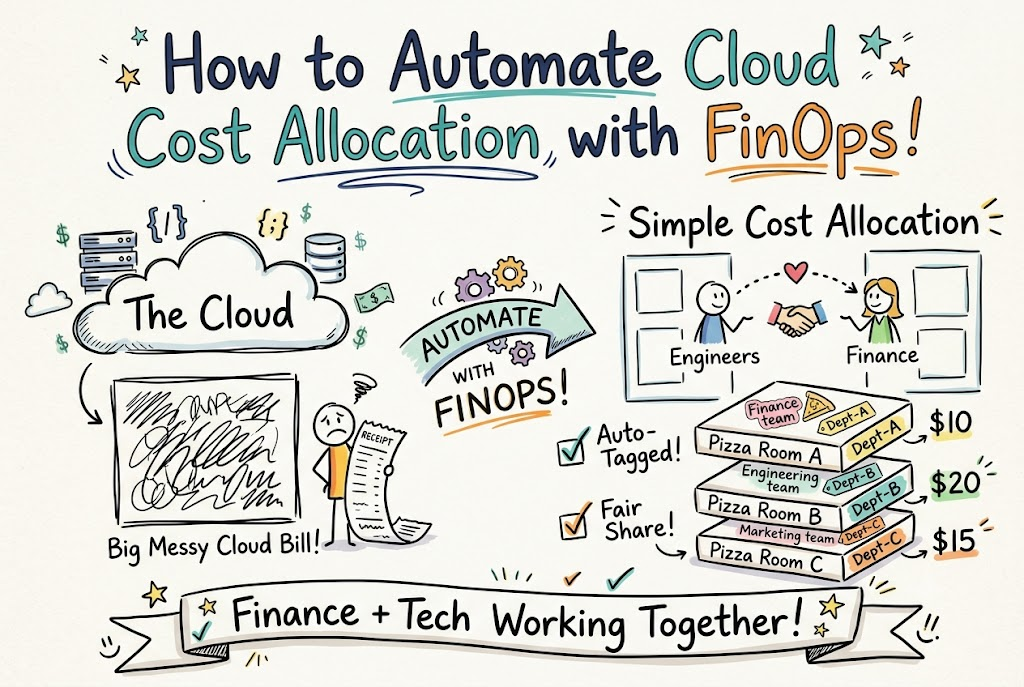
Computers in the cloud run many tasks for businesses. But these computers cost real money every single hour.
Teams often do not know who spends the money. So, leaders see one big, messy bill each month.
You can fix this with smart team habits. You can learn these habits from Finopsschool today.
FinOps simply means finance teams and tech teams working together. Next, you will see how easy this can be.
What Is Cloud Cost Allocation?
Think of the cloud like a giant school pizza party. Five different classrooms order thirty large pizzas to share.
At the end of lunch, the pizza box bill arrives. But no one knows which room ate which slices.
Cost allocation means you write names on every single pizza box. So, each room pays only for what it eats.
In the cloud, teams use digital tags like name stickers. These name tags show who built each online tool.
Why Should You Automate Your Bills?
People make mistakes when they do math by hand. Also, engineers build hundreds of small tools every day.
Tagging every single tool by hand takes too much time. So, people often forget to add the tags.
Robot rules can do this boring work for you. Software bots can tag each new file in one second.
Because bots work fast, your numbers stay neat and clean. Also, your engineers can get back to building fun apps.
Key Operational Concepts You Must Know
You only need to know three easy rules here. These three rules help you track every single dime.
- Digital Name Tags: You stick simple labels on every computer file.
- Shared Bill Reports: You show each team their own monthly spending list.
- Auto Cleanup Rules: Smart tools turn off empty computers at night.
First, digital labels tell you who owns each tool. Second, clear reports help bosses plan their monthly cash.
Third, robot rules shut down waste before it grows. Next, let us see how these rules work together.
| Step Name | Simple Goal | Big Result |
|---|---|---|
| Labels | Put name tags on tools | You know who owns what |
| Alerts | Send quick notes on costs | Teams stop high bills fast |
| Cleanup | Erase old empty files | You save lots of cash |
Platform Implementation vs. Culture — What’s the Real Difference?
Buying fancy software tools is like buying a shiny new bicycle. The bike looks great, but it cannot ride itself.
Platform setup just means turning on a cool software dashboard. But fancy charts do not change how people act.
A good culture means teams actually care about spending. Engineers check their price tags before they build anything new.
So, you must teach your people good spending habits. Tools help a lot, but friendly teamwork matters most.
Real-World Use Cases of Modern Operations
Online game companies use these smart rules every day. Thousands of kids log in to play games after school.
The game servers grow big when kids play online. Then, the servers shrink down when kids go to bed.
Smart software tracks the cost for each game level. So, the game makers know which games make money.
Banks also use these tools to protect their money. They track costs for mobile apps and cash machines separately.
Because they track every coin, they never waste their budget. Both finance and tech teams stay happy.
Common Mistakes in Operations Engineering
Many teams make one big mistake when they start. They forget to turn off test computers after work.
These empty machines run all night in the dark. So, the company pays for computers that nobody uses.
Another big mistake is using too many confusing name tags. If people use messy tags, the bots get confused.
- Keep labels short: Use easy words like “App-A” or “Team-Blue.”
- Delete old tests: Erase sandbox files once your test finishes.
- Check bills weekly: Look at bills often so surprises do not hide.
How to Become an Operations Expert — Career Roadmap
You can learn how to guide these cloud budgets. Many companies need friendly helpers to watch their cloud spend.
First, learn how simple cloud tools work online. You can take fun, easy classes to earn paper badges.
Next, practice talking about money in simple words. Good leaders explain tech math without using hard jargon.
- Learn cloud basics: Study how web storage and servers run.
- Practice simple math: Learn how small fees add up over time.
- Help your team: Show others how to turn off unused tools.
FAQ Section
- What is a cloud name tag?
A tag is a tiny digital sticker with text. It tells you who built the file and what it does.
- Why do bills get so big?
Bills grow fast because workers can start computers with one click. If they forget to turn them off, costs rise.
- Can small teams use these tools?
Yes, small teams can set up easy alerts for free. Cloud providers give you free tools to track costs.
- Do I need to be a math genius?
No, you do not need hard math skills at all. Software bots do all the heavy counting for you.
- When should teams check their bills?
Teams should look at their bill numbers every week. Fast checks help you catch costly mistakes right away.
Final Summary
Tracking your cloud spending does not have to feel hard. You just need clear name tags and smart robot rules.
When your teams talk openly, everyone wins together. Finance teams stay calm, and builders create great new tools.
Start small by cleaning up empty files this week. Soon, your cloud spending will stay neat and tidy forever.